Is Your Middle Name Causing Issues in Japan? Here's How to Fix It
Middle name causing mismatches on your residence card, bank account, and SIM? Katakana fixes, tsushomei, and how to align everything.
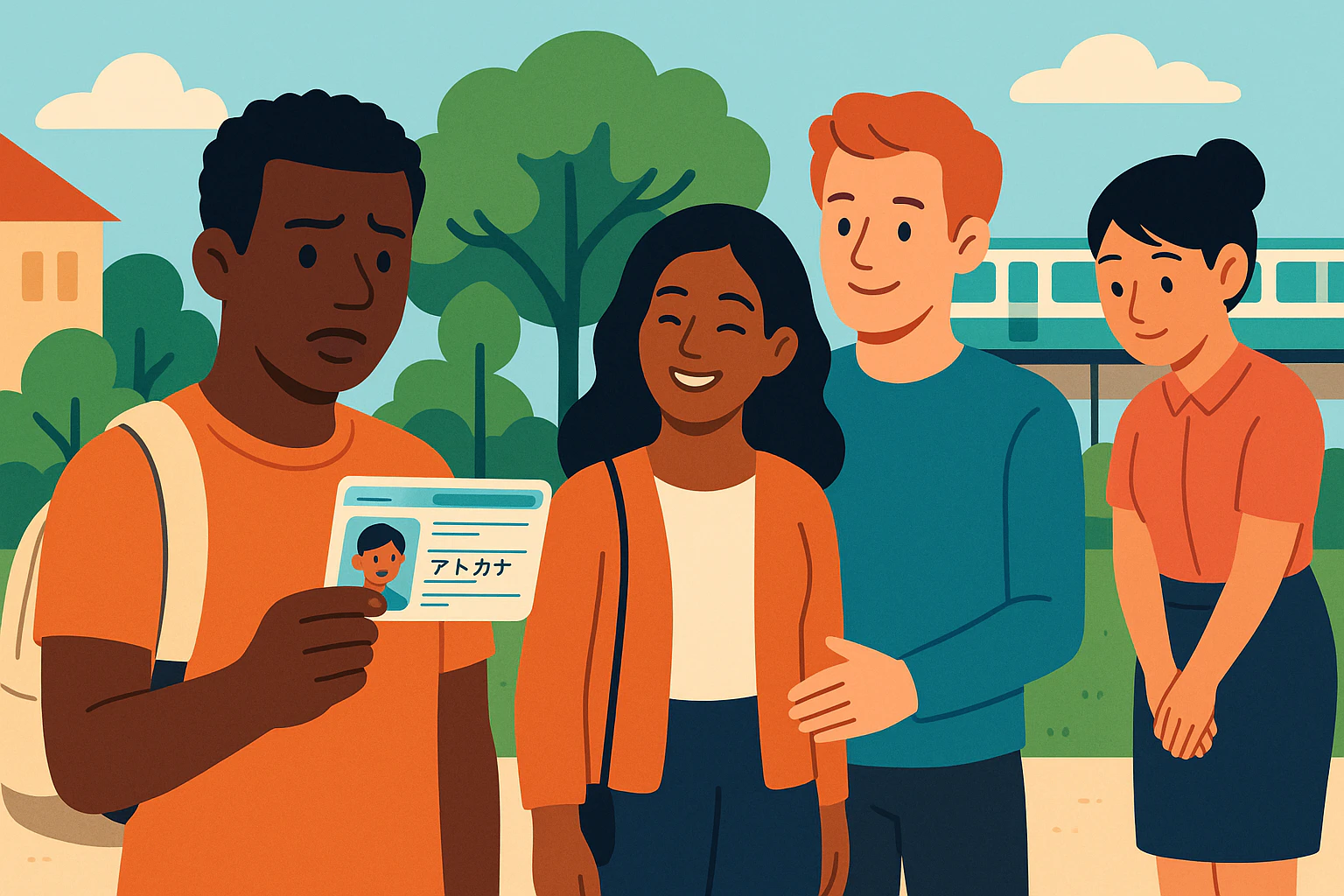
Japan middle name problems usually aren’t “your fault”—they’re a systems problem. Your official name is stored in romaji (Latin letters) based on your passport, but banks, phone carriers, and online ID checks often add separate katakana fields with strict character rules, length limits, and normalization quirks.
This guide is a practical playbook for foreigners in Japan dealing with residence card name mismatch and katakana name mismatch Japan issues. You’ll get a “pick one canonical spelling” workflow, copy/paste-ready templates, and clear escalation paths: when to use tsushomei alias registration (通称), and when you must update official records.
Goal: Make every system you touch (immigration, city hall, banks, carriers, eKYC apps) converge on one predictable set of name strings—even if the UI looks different.
Start Here — What Your “Legal Name” Is in Japan (Passport → Residence Card → City Hall)
Before you change anything, you need to understand what Japanese institutions treat as your “real” name. Most downstream mismatches happen because different organizations are referencing different upstream sources (passport, Residence Card, resident record) at different times.
1) Passport and Residence Card: your core romaji string
For mid-to-long-term residents, your Residence Card (在留カード) is issued by the Immigration Services Agency, and your name is generally shown in the English alphabet in the same way as your passport. A clear English explanation appears on Toshima City’s guidance page about Resident Registration / Residence Card procedures (Toshima City: Resident Registration / Residence Card).
Practically, this means: if your passport has a middle name, Japan’s official romaji name chain usually includes it. Many forms and vendor databases are not designed for that reality—but your Residence Card is what most “real identity” checks will point back to.
2) Kanji on the Residence Card is special-case (and often misunderstood)
Katakana fields at banks/telecom are usually not your legal name. They are “reading” fields (furigana) added by each organization’s system. By contrast, kanji on the Residence Card is a formal notation option for certain people.
The Immigration Services Agency states that the Residence Card name is primarily romaji, but people whose names use kanji (for example, some Chinese/Korean nationals) may be able to add kanji alongside the romaji, and it explains application methods and the reissue fee scenario (for example, a standalone request can require a fee such as 1,600 yen) (ISA/MOJ: Kanji name notation on Residence Card).
Key takeaway: for most foreigners, the “legal name” in daily life is your Residence Card romaji. Katakana is usually an extra field imposed by someone else’s database design.
3) City hall resident record (住民票 / juminhyo) follows official inputs—with timing quirks
After you register your address, a resident record is created (your juminhyo). City hall and government-linked services may check you against that record, and that’s where timing matters.
In Bunkyo Ward, for example, the ward explicitly warns there can be a 2–3 day lag before the latest Residence Card details appear on the juminhyo, and it advises you to consult the counter if you need the updated record immediately (Bunkyo Ward FAQ: 2–3 day time lag).
Action: If you just updated something at immigration (new card issued, name notation change, status update), wait a few days before doing bank/carrier changes that rely on juminhyo matching.
Katakana Mismatch Traps (Full-width vs Half-width, Spaces, ヴ/ヴ, and Form Length Limits)
Japan middle name problems become “katakana mismatch” problems because organizations store your name in multiple fields, often in old character sets or strict “exact match” pipelines.
Trap A: Full-width vs half-width (and why it still exists in 2026)
Many systems still behave as if it’s the 1980s. Legacy standards like JIS X 0201 include katakana that are commonly treated as half-width in practice (JIS X 0201 overview), and some workflows still expect that style.
Even modern integrations can inherit old constraints. For example, the history of half-width kana is tied to older computing limits, and some financial-message ecosystems historically constrained transaction messages to Latin/numbers/half-width katakana with short lengths (Half-width kana background).
- Symptom: one system stores “マイケル” and another stores “マイケル” and they fail an exact match.
- Fix: decide your canonical katakana in both full-width and half-width (templates below), and use whichever the form explicitly requires.
Trap B: Spaces, extra spaces, and “one-field vs two-field” name models
Many Japanese databases assume either “SURNAME + GIVEN” or “SEI/MEI,” and they break when you have: multiple given names, multiple surnames, hyphenated names, or middle names. Some systems silently remove spaces; others require exactly one space; others reject spaces entirely.
This is why “I typed the same name” can still fail. It’s often not the same string after normalization.
Trap C: The ヴ problem (ヴ vs ヴ) is really a normalization problem
When you type “ヴ” in full-width katakana, another system might store the “same sound” as two half-width characters: “ウ” plus the half-width voiced sound mark “゙”. The half-width voiced mark exists as its own character (U+FF9E) (ScriptSource: HALFWIDTH KATAKANA VOICED SOUND MARK (FF9E)), which is why exact-match checks can fail across systems that normalize differently.
- Symptom: “ヴ” vs “ヴ” mismatch blocks account verification.
- Fix: store and reuse the exact representation that the target system uses; don’t assume “they’re equivalent.”
Trap D: Government online forms may restrict character sets
Government-linked systems sometimes restrict input to specific JIS ranges. e-Gov’s help pages explain allowed character handling and provide examples of characters that can trigger “unsupported character” errors, reflecting a broader reality: you are often typing into character-set limits, not a modern Unicode-first database (e-Gov e-Application: usable characters notes).
If you’re doing anything through a company HR portal that submits via e-Gov, it’s common to hit issues like forbidden symbols, multiple spaces, or width problems. One real-world support article documenting e-Gov CSV workflows notes strict rules (like requiring a single space between family and given name) and specific length limits in some cases (Example: long foreign names breaking e-application workflows).
Trap E: Exact-match culture is real (even outside residency paperwork)
Airlines are a clean example of the “exact match” mindset: ANA states that for international travel, the name on the passport must match the name on the boarding ticket, and it documents special rules for parentheses, accents, multiple names, and long-name limits (including character caps) (ANA: Information when entering your name).
You don’t need to be flying to feel this: many bank and eKYC checks behave similarly—they compare strings, not identities.
Fixes by Situation (Banks, Mobile/SIM, Online ID Checks, City Hall/Government Procedures)
This section is the hands-on checklist. Start by standardizing your “canonical” name strings, then apply the fixes in the order that reduces downstream friction.
The “Pick One Canonical Spelling” workflow (do this first)
Rule #1: Your Residence Card romaji is your anchor. Everything else is a controlled translation layer (katakana, no-space variants, system-limited variants).
- Capture your anchor exactly: open a notes app and type your name exactly as printed on your Residence Card (including spacing and order).
- Create a “no-surprises” romaji fallback: a version with (a) no double spaces, (b) no unsupported punctuation if a system rejects it (but keep the anchor unchanged for official uses).
- Decide ONE katakana reading: full-width katakana for normal forms, and the matching half-width version if needed.
- Decide how to handle middle names: include them when a service requires Residence Card exact match; otherwise be consistent with your existing major accounts (bank + carrier) to avoid later verification failures.
- Save proof: keep a clear photo of the Residence Card and (if used) a juminhyo that shows your registered alias or name formatting.
Copy/paste-ready name templates (romaji + katakana)
Use these as a personal “source of truth” block. Replace the placeholders once, then reuse forever.
LEGAL / ANCHOR (copy exactly from Residence Card)
ROMAJI (Residence Card):
[FAMILY NAME] [GIVEN NAME] [MIDDLE NAME]

ROMAJI (no-space fallback for systems that reject spaces):
[FAMILYNAME][GIVENNAME][MIDDLENAME]

KATAKANA (full-width):
[ファミリーネーム] [ギブンネーム] [ミドルネーム]

KATAKANA (half-width, if a form demands it):
[ファミリーネーム] [ギブンネーム] [ミドルネーム]

KATAKANA (VU handling variants to try if needed):
Full-width: ヴィ / ヴ / ヴァ
Half-width: ヴィ / ヴ / ヴァ
Tip: If your name contains accents/diacritics (é, ñ, ü) or punctuation (apostrophes, hyphens), many Japanese forms will force a simplified version. When a system rejects a character, don’t improvise differently each time—choose one fallback and reuse it consistently.
Fixes for banks (and why they’re strict)
Banks are often the most sensitive point because they sit at the center of salary payments, utilities, rent, and remittances. If your bank has one katakana string and your phone carrier has another, you can get stuck when setting up auto-pay, online banking, or identity checks.
Japanese inter-system text constraints can be brittle. A well-known case reported by ITmedia described a major bank system issue triggered because data that should have been processed/transferred in katakana was instead handled as kanji (ITmedia: system trouble caused by kanji vs katakana handling). Your name fields live in that same reality: “exact field expectations” matter.
- What to bring (typical): Residence Card, passport (sometimes), and any bank card/book. Some banks may also ask for My Number-related documentation depending on the procedure.
- What to ask for: confirm the exact stored values for (1) romaji/English name, (2) katakana name (furigana), and (3) spacing rules.
- What to update first: if you receive salary, prioritize making your payroll name match the bank’s registered name format (or vice versa), because mismatches can cause salary-transfer rejections in some setups.
If you’re opening or stabilizing an account, also see our dedicated checklist: how to open and keep a Japan bank account working (2026).
Fixes for mobile/SIM (carriers and MVNOs)
Mobile contracts in Japan frequently involve ID checks and shipment checks, and name mismatch errors can show up as: “verification failed,” “could not confirm identity,” or “please visit a store.”
- Best practice: for any contract tied to your address (postpaid plans, many SIM deliveries), enter your name exactly as on the Residence Card, then match the address format your city hall uses.
- Katakana field strategy: if the form requires katakana, use your canonical katakana string. If the UI shows smaller katakana or explicitly says 半角, use your half-width version.
- If the online flow fails: escalate to an in-person shop or phone support and ask what character set/spacing their backend expects. Bring your Residence Card and (if they accept it) a juminhyo as supporting evidence.
Common middle-name pitfall: some carrier systems don’t have a separate “middle name” field and expect you to append it to the given name. Don’t create a new pattern just for one carrier unless you’re willing to propagate it everywhere else.
Fixes for online ID checks (eKYC in apps, marketplaces, fintech)
Online ID checks often compare the text you typed to OCR-read text from your ID photo, or they compare your input to existing records (bank, card issuer, resident record). That’s where tiny differences (spaces, width, ヴ) break the match.
- Use your anchor first: type the Residence Card romaji exactly as printed.
- Align address formatting: mismatches are not only names; “1-2-3” vs “1丁目2番3号” style differences can also fail depending on the system.
- Don’t mix katakana variants: if you used full-width on one service and half-width on another, expect eventual mismatch pain when services cross-check.
- When a system rejects characters: follow its on-screen rules and then save that exact accepted string into your canonical block for reuse.
If you’re hitting government-linked character restrictions, e-Gov’s notes on usable characters are a good reference for why the error happens (e-Gov: usable characters).
Fixes for city hall and government procedures
City hall can fix some name-display and record alignment issues, but not all. Separate what is handled by immigration vs what is handled by municipalities.
- Residence Card changes (name, status details): generally handled by the Immigration Services Agency. A municipality page in Tokyo (Toshima City) explicitly notes that if you change your name or other details (not including address), you should report to the Immigration Services Agency and a new Residence Card may be issued after review (Toshima City: reporting changes to ISA).
- Juminhyo timing: if your new card was just issued, allow for a short lag before resident-record data fully reflects the latest card details (Bunkyo Ward mentions 2–3 days) (Bunkyo Ward FAQ: time lag).
- When you need updated proof fast: bring the Residence Card and ask the counter what they can issue immediately.
For immigration-procedure planning, you may also want our step-by-step renewal article: Residence Card renewal in Japan (2026).
Long-Term Solutions (Tsushomei Registration, Updating Official Records, Future-Proofing in 2026)
If you’ve been “patching” mismatches for months, it’s time to decide whether you need a structural fix. In Japan, that typically means either (A) registering an alias (tsushomei), or (B) formally updating your official name chain through passport → immigration.
Option A: Tsushomei (通称) registration — where it works, and where it doesn’t
Tsushomei is a municipality-managed registered alias used by some foreign residents who use a Japan-style name domestically (for example after marriage, or long-term local usage). It can be powerful—but it’s not universal.
Yaizu City’s municipal page is unusually clear: once registered, the alias is shown on the juminhyo and the My Number Card, but it does not appear on the Residence Card (Yaizu City: registering a common name (tsushomei)).
What you typically need (check your municipality)
Requirements vary by municipality, but Yaizu City lists a very common pattern:
- ID: Residence Card, passport, etc.
- Proof of everyday use: documents showing the Japan-style name in daily life (examples given include payslips and utility bills).
- Plan ahead: Yaizu also advises contacting them in advance before coming to the counter.
Where tsushomei often helps
- Services that accept juminhyo or My Number Card as primary identity proof.
- Workplace and school situations where a Japan-style display name reduces confusion (as long as payroll/tax filings still align correctly).
Where tsushomei usually does NOT solve the problem
- Any process that requires Residence Card exact-match (because the alias does not appear on the card, per municipal guidance like Yaizu’s).
- Some bank and telecom processes that are hard-coded to the Residence Card romaji, especially when OCR or chip/ID scanning is involved.
Decision rule: If your pain is mostly “Japan domestic name display,” tsushomei may help. If your pain is “eKYC / scanning / Residence Card exact match,” tsushomei alone won’t fix it.
Option B: Updating official records (the only way to truly change Residence Card romaji)
If the root cause is your official romaji itself (for example: you legally changed your name, want to remove a middle name, or need a different passport spelling), the long-term solution is to update the upstream source chain.
- Step 1: update your passport name through your home country’s procedures.
- Step 2: report the name change to the Immigration Services Agency (municipal guidance such as Toshima City’s explicitly tells residents to report name changes to ISA) (Toshima City: name change reporting).
- Step 3: after a new Residence Card is issued, expect municipal systems to take a short time to reflect the update (some municipalities mention a 2–3 day lag before juminhyo shows the latest data) (Bunkyo Ward FAQ).
If you’re using online immigration-related systems and need official contact points, the Immigration Services Agency provides contact information for the Foreign Residents Information Center and related helpdesks on its site (ISA: contact information (including info center and system helpdesk)).
Future-proofing in 2026: reduce verification friction before it happens
In 2026, more everyday services require online identity checks, and more backends are integrated. That increases the cost of having “almost the same” name across systems.
- Pick a canonical block and stick to it: don’t create a new katakana reading per service.
- Don’t guess what a system stores: if you update a bank or carrier, ask them to read back the registered spelling (including spaces and width).
- Time your changes: avoid stacking an immigration update, a move, and a bank update in the same 48 hours.
- Document your “accepted variants”: keep the exact strings that each major vendor accepted (especially if they forced a no-space or simplified punctuation format).
FAQ: Japan middle name problems (quick answers)
- Should I drop my middle name when signing up for services in Japan?
If the service requires Residence Card exact match, don’t drop it. If the service is purely internal (for example, a delivery app nickname), you can sometimes omit it—but be consistent to avoid future identity checks failing.
- Can I make katakana my legal name in Japan?
In most cases, no. Your core official name is tied to passport and immigration records; katakana fields at banks/telecom are typically separate reading fields, not your legal identity.
- Does tsushomei (通称) fix everything?
No. Municipal guidance (for example, Yaizu City) states the alias appears on juminhyo and My Number Card, but not on the Residence Card, so any Residence Card-based check can still fail (Yaizu City: tsushomei notes).
- What if my name is too long for a form?
Some e-application workflows (especially CSV-based submissions) can have strict length/spacing rules. Coordinate with the organization submitting on your behalf (often your employer/HR vendor) and follow the system’s documented constraints (Example documentation of length-limit issues).
- Why does my juminhyo not match my new Residence Card immediately?
Some municipalities document a short reflection delay (for example, Bunkyo Ward mentions a 2–3 day time lag). If you need the updated record urgently, bring your Residence Card and consult the counter (Bunkyo Ward FAQ).
Important: This article is practical guidance, not legal advice. Procedures vary by municipality, bank, and carrier—when in doubt, confirm the exact required spelling/character width with the organization you’re dealing with.
Related Articles
If you’re dealing with name issues, these guides often come up in the same “paperwork stack”:
- Residence Card renewal in Japan (2026): online & appointment guide
- Open a Japan bank account as a foreigner (2026): checklist and ID rules
- My Number Card on iPhone in Japan (2026): setup and fixes
Need More Help? Ask on LO-PAL
If you want to know more about Japan middle name problems in your specific city—or you need help translating what a bank/city hall counter is asking for—ask a local Japanese person on LO-PAL.
LO-PAL is our matching service where foreign residents and tourists in Japan can connect with local Japanese helpers for Q&A and real task support. You can post your exact situation (screenshots of the rejected form message, the field rules, your current katakana/romaji variants), and local helpers can guide you through what to bring, what to say, and which counter/department to visit.
Written by

Founder, LO-PAL
Former Medical Coordinator for Foreign Patients (Ministry of Health programme) and legal affairs professional. Built LO-PAL from firsthand experience navigating life abroad.
Written with partial AI assistance
Read full bio →